Beghelli USA
ERP–WooCommerce Bi-Directional Inventory & Order Sync
Skills applied to this project
Built a reliable bi-directional sync between WooCommerce and Beghelli USA's ERP system — keeping product data, inventory counts, and order statuses accurate across both platforms without manual data entry.
What was the problem?
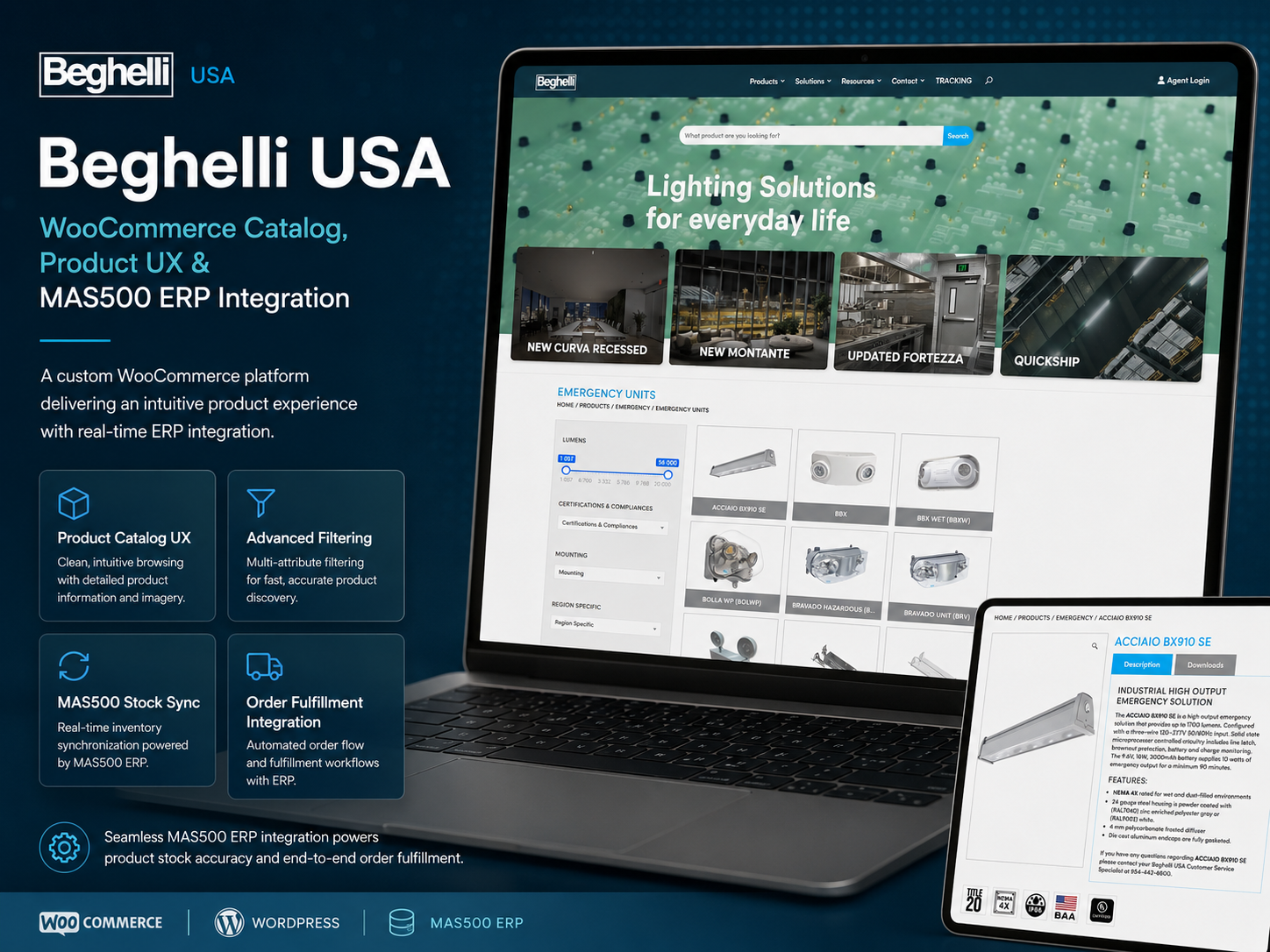
Beghelli USA runs a B2B WooCommerce store for commercial lighting products alongside their internal ERP system. Product data, pricing, and inventory lived in the ERP — but staff had to manually re-enter changes in WooCommerce. Orders placed in WooCommerce also needed manual ERP entry. The two systems were chronically out of sync, causing order errors and overselling.
How I solved it
I built a custom WordPress plugin that acts as a sync bridge between their ERP's XML API and WooCommerce. Products and inventory flow from ERP to WooCommerce on a scheduled 15-minute sync. New orders flow from WooCommerce to ERP immediately via webhook. The plugin includes an admin log panel to review all sync events, flag errors, and manually trigger re-syncs for specific products.
Measurable results
Manual data entry between systems was fully eliminated. Product catalog accuracy improved dramatically. New orders appear in the ERP within seconds of being placed. The admin team now uses the WooCommerce dashboard as their primary interface with confidence that ERP data stays in sync.
- Manual product and order data entry between systems eliminated
- Product catalog accuracy improved dramatically
- New orders sync to ERP within seconds via webhook
- Admin team adopted WooCommerce as their primary order-management interface
- Sync errors became rare, handled automatically by retry logic
Technical highlights
- Custom WordPress sync plugin with admin log panel
- ERP XML API integration with scheduled 15-minute pull
- WooCommerce order webhook for real-time ERP push
- Conflict detection with manual override capability per product
- Retry queue for failed sync events with exponential backoff
- Delta sync — only changed records processed to minimize API load
My process applied to this project
-
Diagnose
Understand the real business problem, user flow, and technical constraints before touching code.
-
Plan
Choose the cleanest technical approach, identify dependencies, and define what success looks like.
-
Build
Create custom WordPress/PHP solutions, plugins, integrations, or automations using best practices.
-
Test
Validate edge cases, staging behavior, logs, checkout flows, order statuses, and user roles.
-
Deploy
Release carefully with rollback awareness, staging verification, and clear documentation.
-
Improve
Monitor, optimize, and refine based on real usage, client feedback, and production behavior.
Tech used in this project
How AI accelerated this work
AI tools helped me review error logs, trace query patterns, and generate diagnostic hypotheses in minutes rather than hours — so I could focus on fixing, not searching.
I used AI to audit integration logic, catch silent failure paths, and validate that custom hooks would hold up under different WooCommerce states before going live.
AI-assisted documentation made the final plugin handoff clear and actionable for the client's internal team — reducing support questions after delivery.
Have a similar challenge?
I help e-commerce teams solve the technical problems that cost them time and revenue. Let's talk about yours.
Related projects